
Read Your Meter | Residential | Central | Liberty
The more you know about your energy or water use, the better you can focus on managing your usage. We provide usage information on your monthly bill or through My Account, but you can also read your own meter, typically located at the side or back of your home. Water meters are typically located in the front yard.
Electric meter
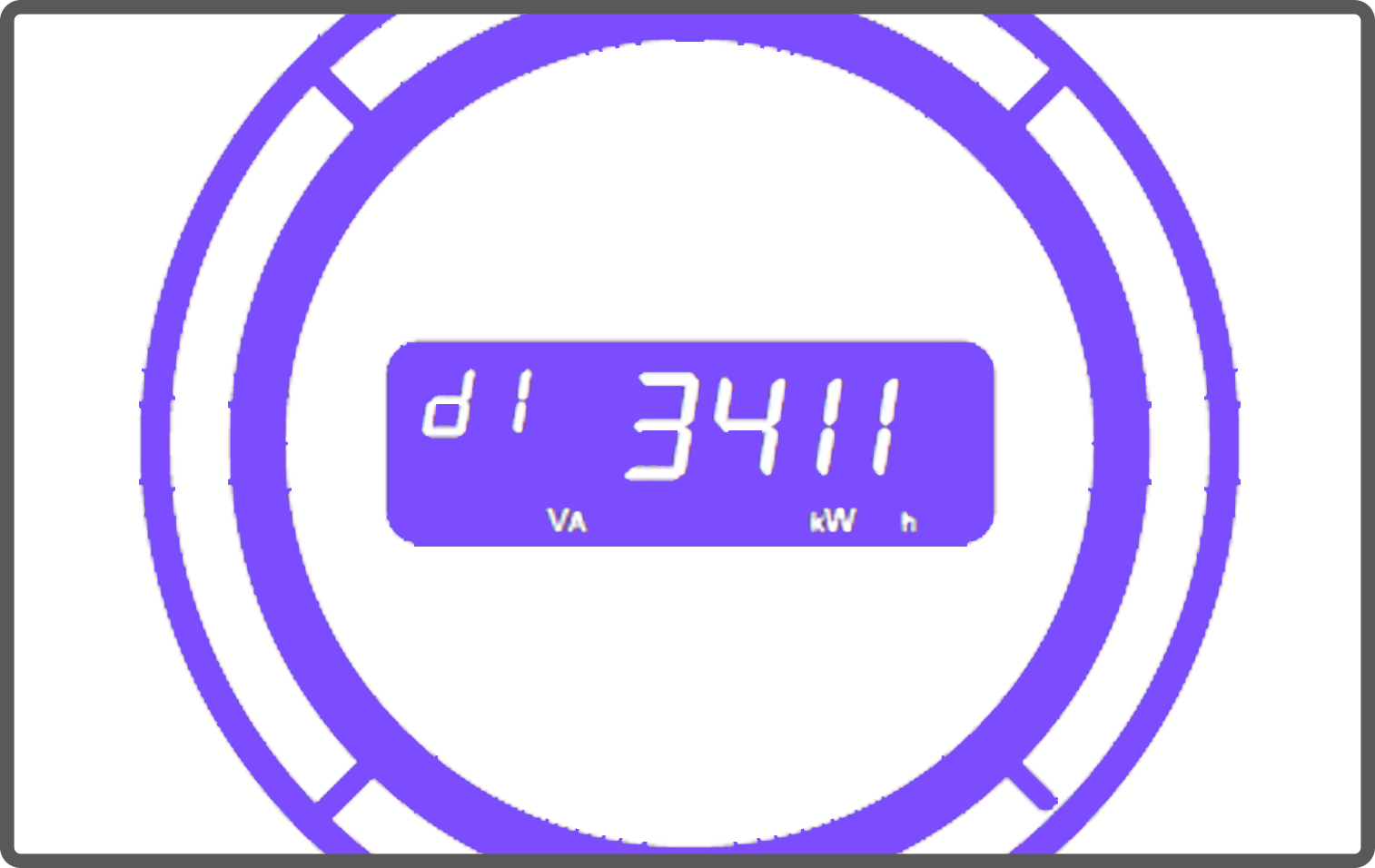
Digital electric meters display a series of screens that scroll automatically.
How to read your electric meter:
- Check the display on your meter:
- On AMI meters (Standard smart meters) watch for the screen labeled “d1” in the upper left corner. “d1” represents your delivered energy (kWh used).
- On Non-Standard meters there will be two screen displays. One will display the read and the second will display all 8’s. It will continue to repeat these two displays.
- Write down the read displayed.
How to calculate your usage:
Your meter does not reset each month. To calculate usage:
Current reading – Previous reading = Energy used
You can find your previous reading:
- On page 2 of your bill
- Above the “What am I paying for?” section
Gas meter
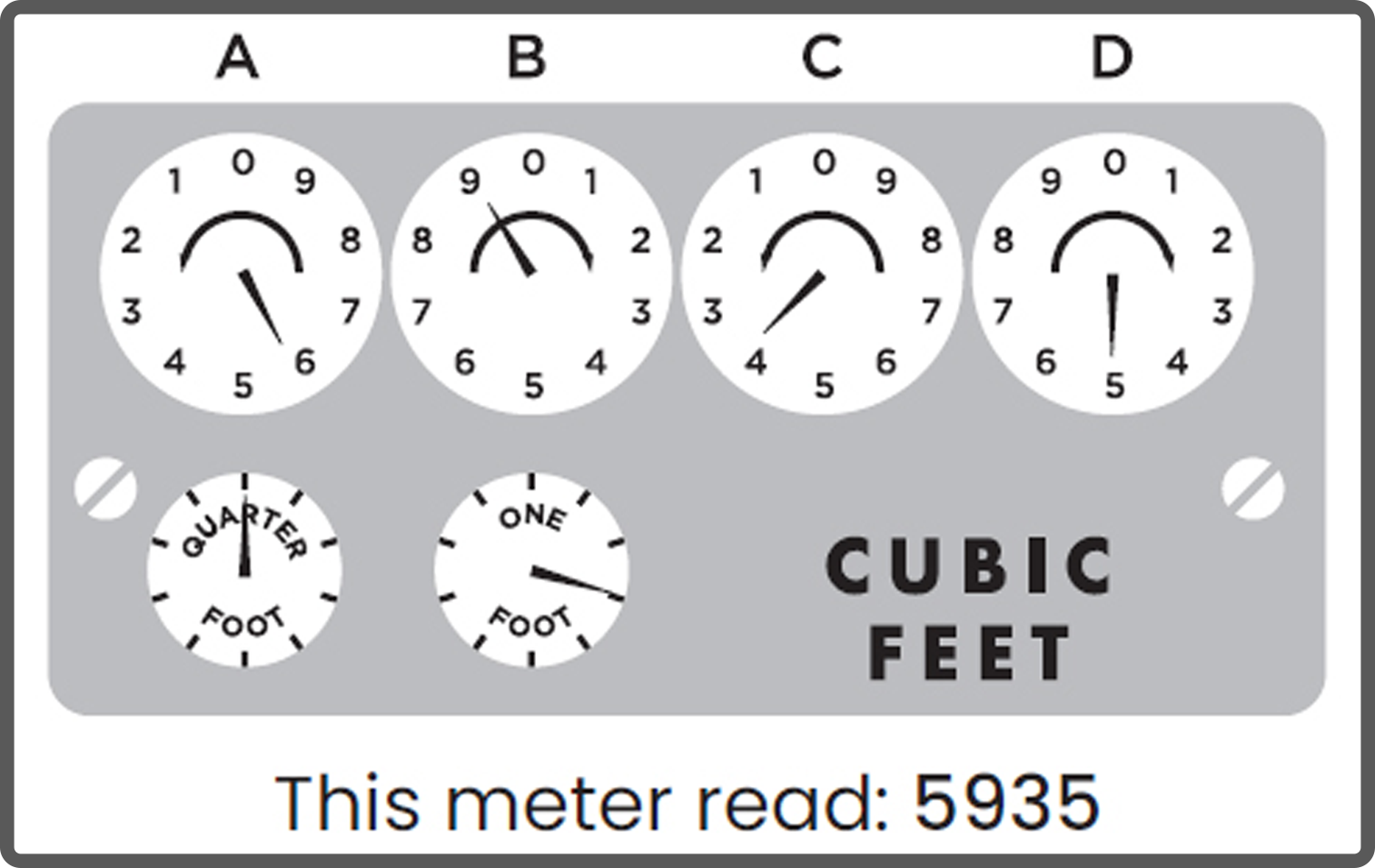
Gas meters may be dial-based.
Dial Meter (Analog)
- Dials move in alternating directions
- Read from left to right
- Record the number each dial is pointing to
- If the dial is between numbers, record the lower number
Water meter
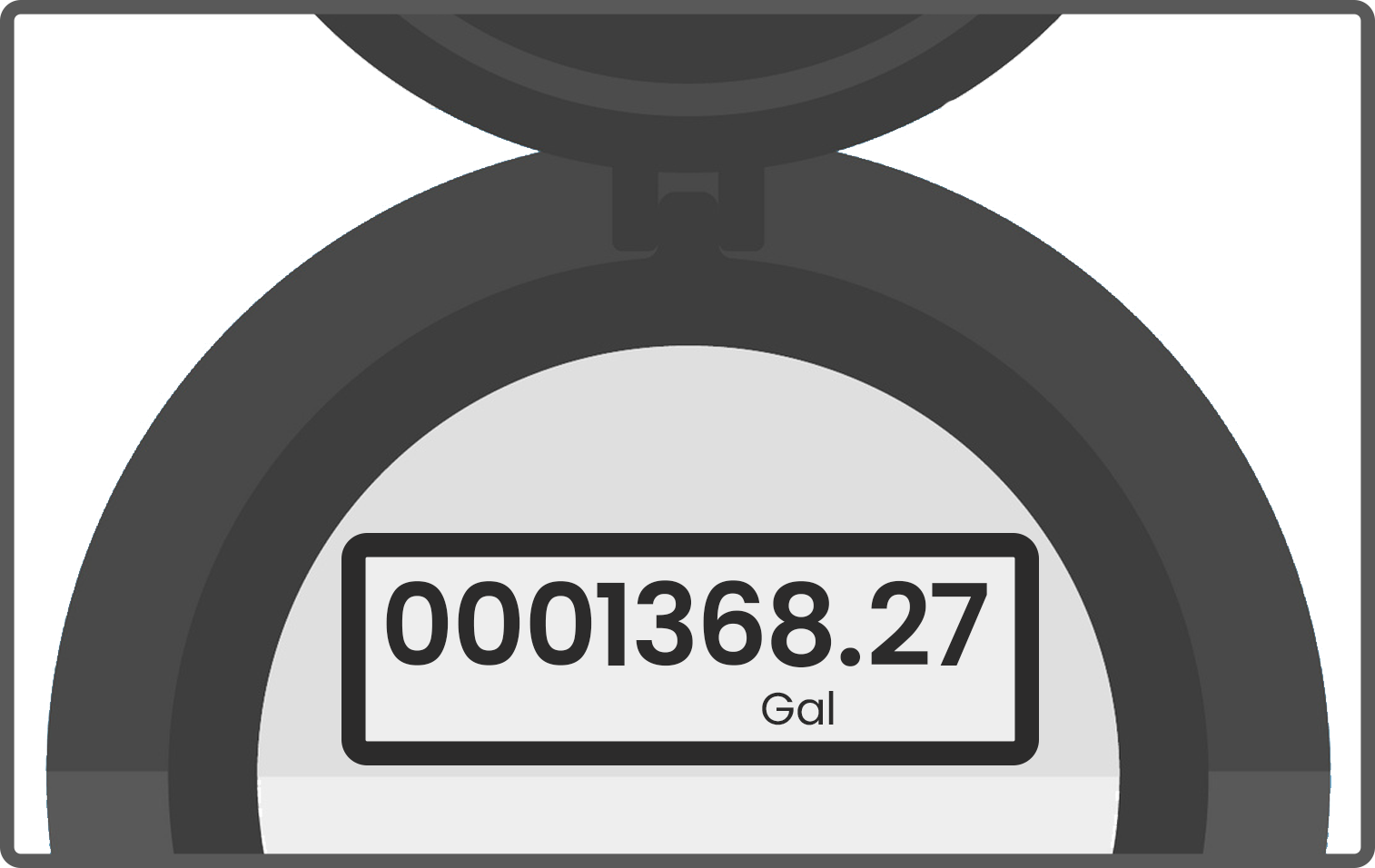
- Look for an odometer-style display
-
Record all nine numbers shown on the meter, including any zeros at the beginning and any numbers after the decimal point
Current reading – Previous reading = Water used
Need to submit a meter reading?
The next step is easy. Missouri residential customers who have opted out of a smart meter may submit their monthly meter reading by clicking below.